

UX Case Study · 2026
Kollection
Visual Discovery
Platform
Timeline
4 Weeks
Service:
Visual Discovery Platform
Year:
2026

15–30s
To find and save a relevant piece of content.
Target was under 45 sec.
80%
Users completed the discover + save task on first attempt.
Target: 80%+
Research Findings
What the data showed
Key patterns from 5 interviews across graphic design, software engineering, industrial design, architecture and robotics engineering.
Average time users invest in active learning sessions daily — often squeezed into after-work or before-bed windows
Time spent just finding where to learn before any actual learning begins — searching platforms, comparing videos
Platforms users move across in a single learning session
Typical available window for self-learning — commute, lunch, before bed — content must fit these micro-gaps
Participants who cited career relevance as a motivation for learning — wanting to "stand out when applying for jobs"
Research Finding
Key insights
Key patterns from 5 interviews across graphic design, software engineering, and robotics engineering.
Insight 1: We discovered that all 5 users spend ~30 min just finding where to learn before learning starts — which means the discovery layer is the primary friction point, not the content itself.
Insight 2: We discovered that users split across 3+ platforms per session (social media → Pinterest → YouTube) — which means the problem isn't lack of content, it's the cost of retrieval across platforms.
Insight 3: We discovered that all 5 participants cited career advancement as a core motivation — not general curiosity — which means content relevance to job-market skills is a key signal users need.
Define
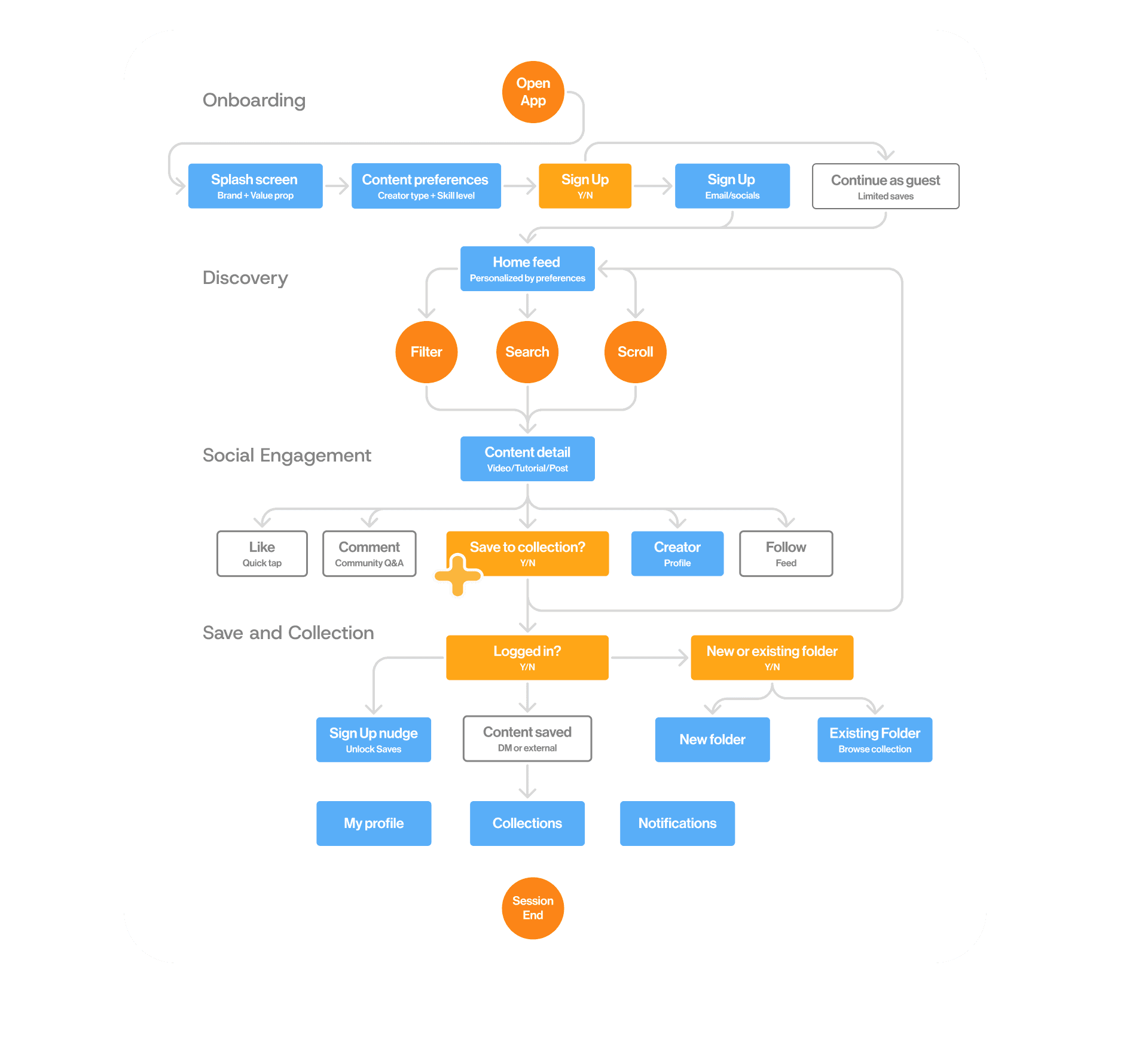
The user + their journey
One primary persona synthesized from 5 interviews — and the journey map showing where friction lives.
Kennedy Leon
Early-career professional · Full-time job + active self-learne
"I just try to do it when I feel really curious — but I could spread those 2 hours at different times since I get tired from doing even more work after my job."
Pain Points
30 min spent finding where to learn before learning starts
Long intros before knowing if a video is worth watching
Platform switching: reference on one app, tutorial on another
Unsure which skills actually move their career forward
Goals
Find career-relevant content fast without wading through intros
Learn in the micro-gaps of a packed day
Save content and actually re-find it later
Know that what they're learning helps them stand out for jobs
Synthesized from 5 interviews — not a hypothetical user, but a composite of observed behavior patterns.




Design Process
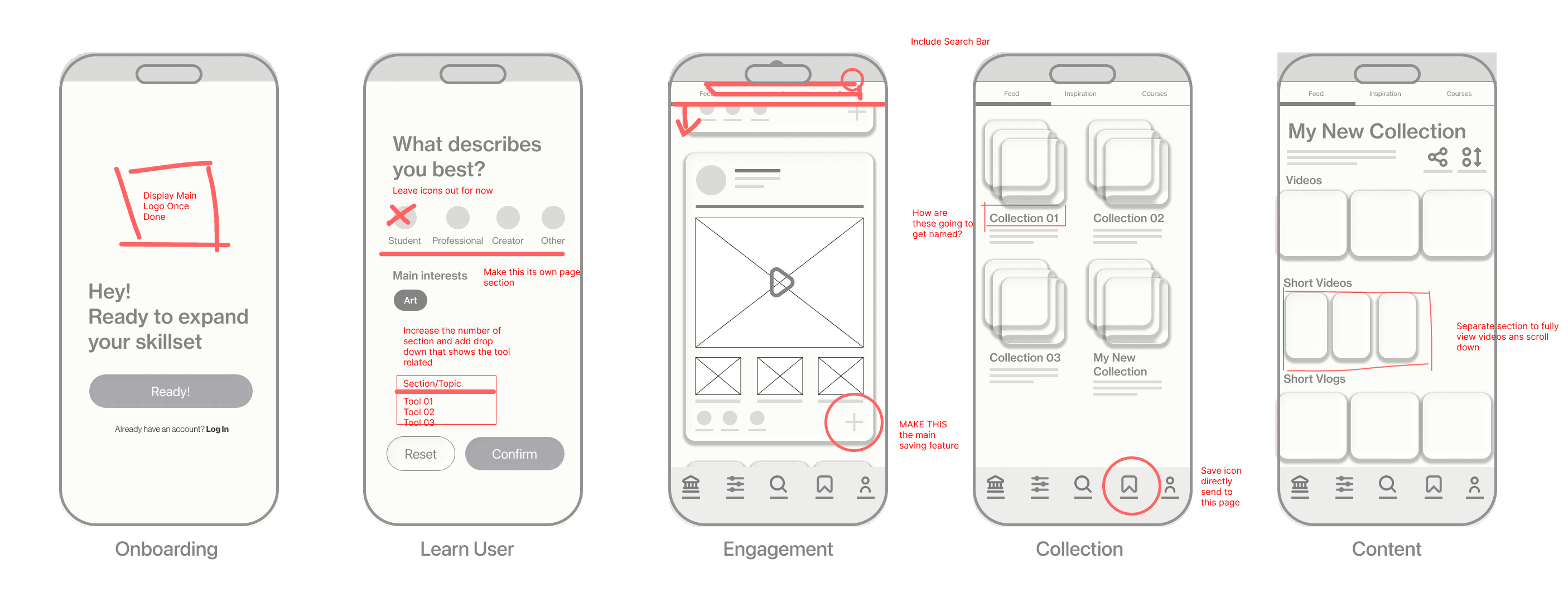
Lo-fi findings + red marks
Quick iteration on figma lo-fi prototype wireframes

01
Engagement screen · positive finding
Save action was discoverable and completed successfully
What happened
Most participants completed the discover-and-save task successfully. The prominent + button on the content card made the saving action clear without instruction.
What participants said
Users found the save interaction intuitive and appreciated that the path from content discovery to saving was short — only 1–2 taps. No significant backtracking observed on this task.
Design decision
→ Preserve the + as the primary save affordance and carry it forward into hi-fi at the same visual prominence
02
Learn user screen · severity 2 — major
Users wanted tool-specific filtering
What participants said
4/5 users asked whether they could select specific tools or software (e.g. Premiere Pro, SolidWorks, Python) rather than a broad role. They wanted the preferences to feel directly tied to what content they'd see — not a generic label.
Design decision
Expand the number of preference categories and break the selection into its own dedicated screen
03
Collection screen · severity 2 — major
Collection icon in nav was unclear
What participants said
Users were confused by generic collection labels. They expected to know what a collection contained before opening it. The auto-save feature itself was well received — the issue was organization and labeling, not the concept.
Design decision
→Implement auto-organization by subject or topic instead of numbered folders — system names collections based on content type
→Add an optional edit/rename feature for users who want manual control over their collection names


Outcome
Final product + key features
The three core features designed directly from research findings — and what comes next.


Feature 01
Preferences customization
Onboarding that lets the algorithm learn what the user is trying to get better at — surfacing career-relevant content immediately without requiring a search.
Feature 02
Main content display block
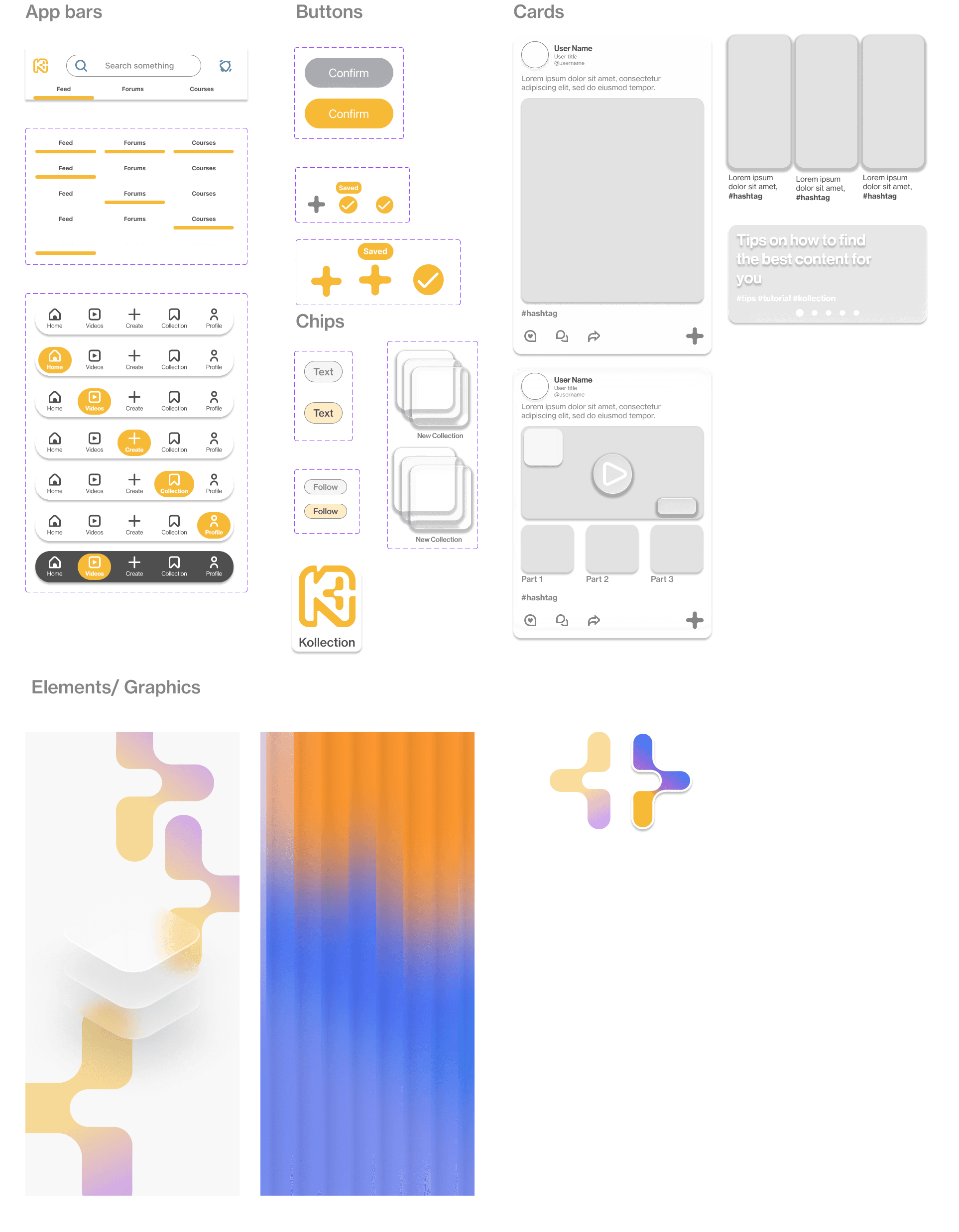
Hero-shot image of content · short description · hashtags · like · comment · and a prominent + button (add to collection) — larger than other actions to make the save affordance unmissable.


Feature 03
Content collection
Dedicated nav icon leading directly to saved content. Auto-organized by subject if no folder is chosen — making re-finding fast without requiring the user to manually categorize.
Outcome
Takeaways
Metrics + measurement
Working through Kollection taught me that metrics are not just a reporting tool — they are a design decision. Choosing time on task as the key metric rather than completion rate alone forced the design to prioritize speed of discovery, which directly shaped the feed-first architecture. A different metric would have produced a different product.
Recruiting + participant scope
Finding participants for Kollection required negotiating and building trust — asking people within real professional networks, explaining the value of their time, and screening carefully to ensure they actually represented the target audience.
Interaction design:
The most validated part of Kollection was its simplest: a single + button that saves content in one tap. It required no explanation, produced no errors, and was the only feature that received positive feedback from every participant. Complexity did not add value — it created the confusion seen in the collection naming and preference screens.